How to Use Claude Code for Free
Step-by-step tutorial to unlock Anthropic's agentic CLI coding tool on Windows & macOS with $175 in free credits.
Showing instructions tailored for windows
Claim $175 in Credits on Signup (Ready to Use)
Register on AgentRouter using your GitHub account. No credit card required. Use this credit grant to power your Claude Code sessions.
Step-by-Step Setup Guide
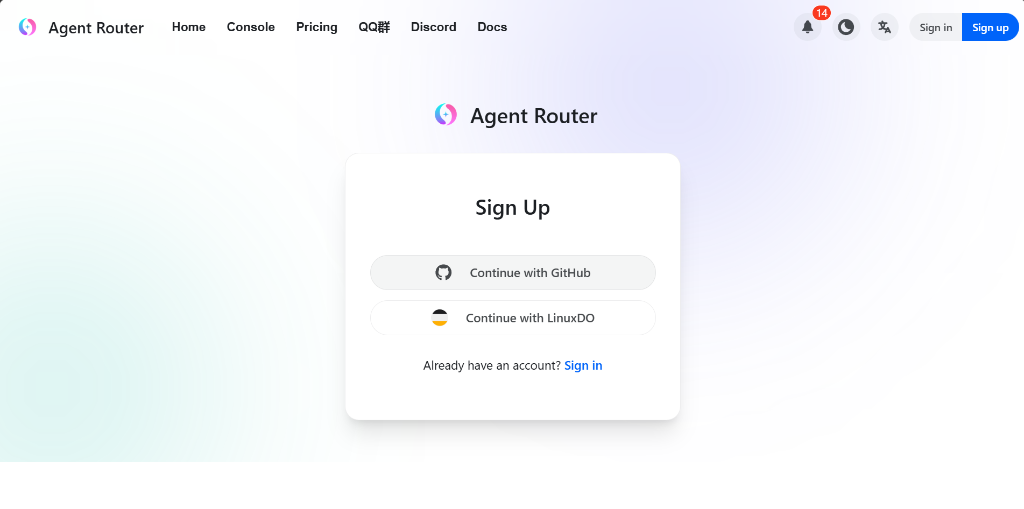
Create Account with GitHub on AgentRouter
Navigate to the promotional registration page and select Sign up with GitHub. Once authenticated, AgentRouter instantly deposits $175 in ready-to-use AI credits into your dashboard.
Download & Install Claude Code
Download Claude Code from the official website or run the global install command inside Windows PowerShell:
npm install -g @anthropic-ai/claude-code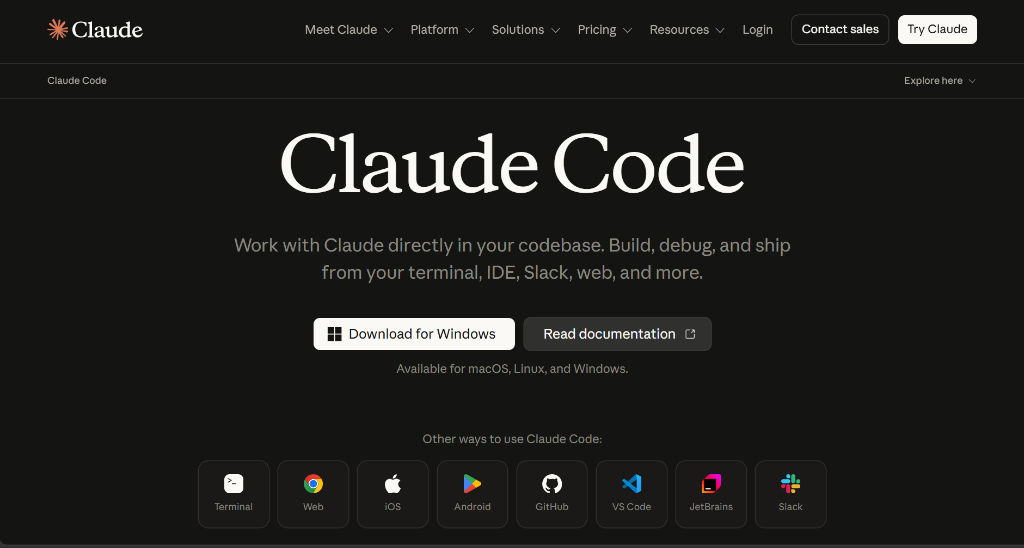
Sign In to Claude Code
Launch Claude Code or type claude in PowerShell. Follow the on-screen prompt to sign in to your workspace.
💡 Pro-tip: If your default tier shows $0 balance initially, don't worry—we will link the full $175 credit line in the next steps.
claude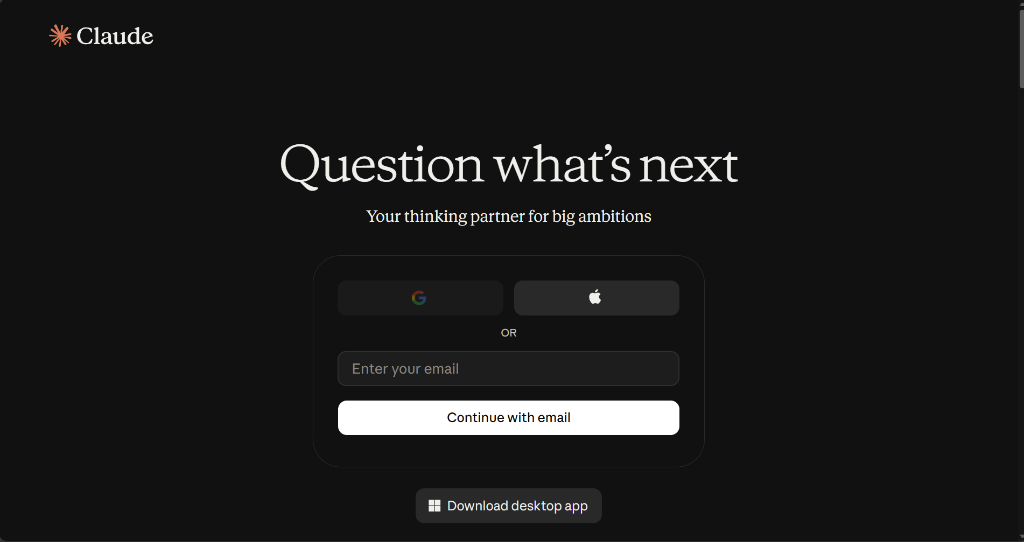
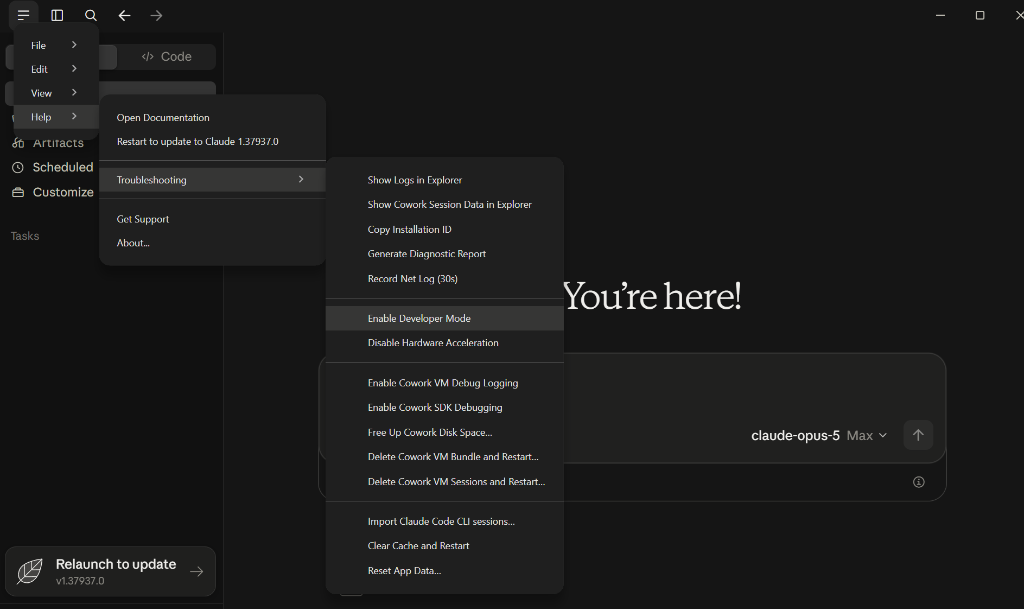
Enable Developer Mode in Settings
Unlock custom proxy routing by opening the settings dropdown in Claude:
Generate API Token on AgentRouter
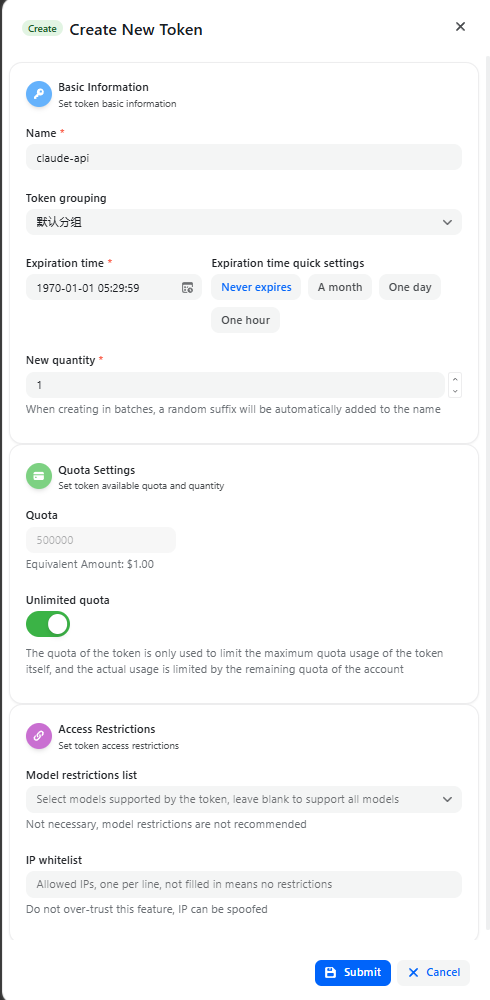
Go to the AgentRouter Dashboard, navigate to the API Tokens tab and click Create New Token:
- Name: Enter a label (e.g.
claude-api) - Expiration time: Select Never expires
- Quota Settings: Toggle Unlimited quota ON
- Click Submit and copy your new API key
Set Gateway Base URL, Select Static API & Paste Token
In Claude Developer Options ➔ Connection / Third-Party Inference, set your parameters:
- Set Credential kind to Static API key
- Set Gateway base URL to
https://agentrouter.org/ - Paste your AgentRouter token into Gateway API key
- Click Apply Changes / Save Changes and restart Claude.
https://agentrouter.org/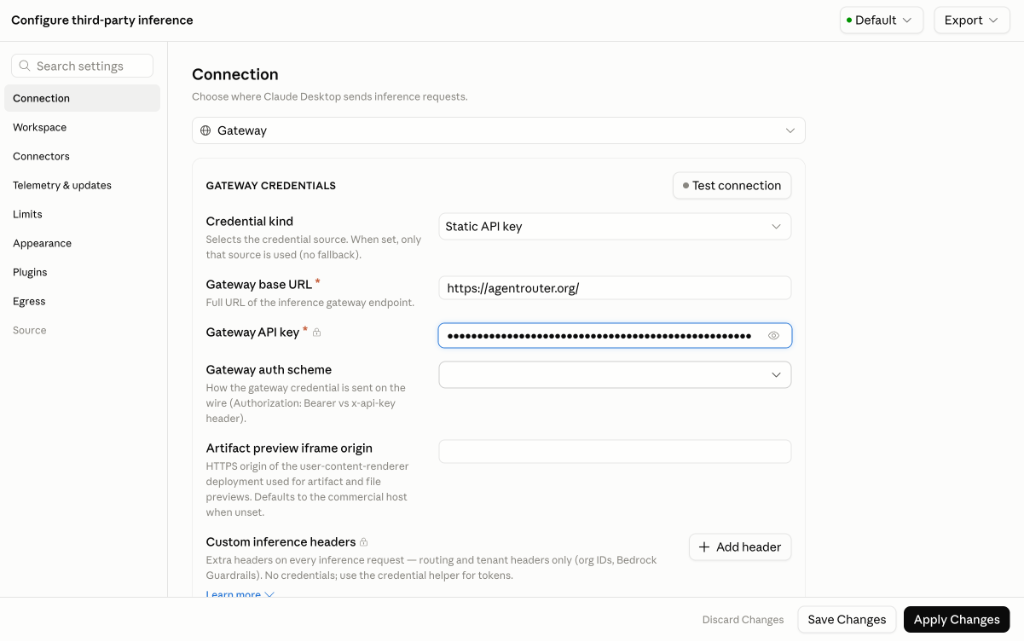
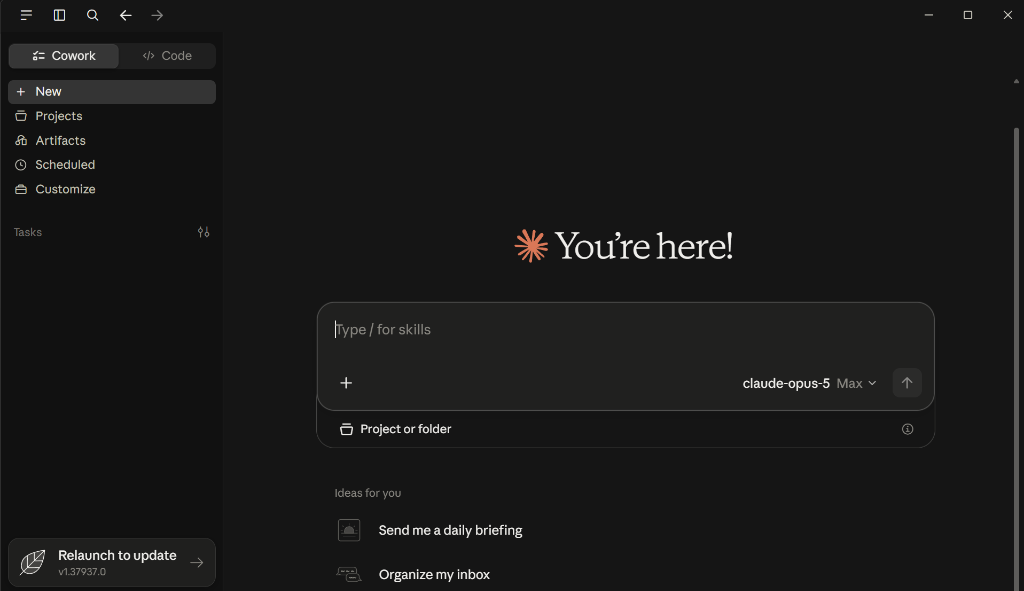
Voila! Claude Code is Ready to Use
You are all set! You can now use Claude Code on Windows with your $175 credit grant. Run multi-file agentic edits, code refactors, and automated builds seamlessly.
claude "analyze this repository and suggest performance improvements"
Frequently Asked Questions
Start Coding with Claude Code for Free
Create your account on AgentRouter with GitHub and claim your $175 credit grant in under 60 seconds.